Problem:
The software (BMW V51.66) and firmware (V12.12) have been successfully installed on the Launch Creader 2.0 BBA diagnostic scanner. However, when actually connecting to a vehicle or scanning the VIN, the system immediately displays a “Firmware update failed” error message. Also attempted a factory reset, cleared the cache, and used a mobile hotspot to perform a “firmware repair,” but all attempts failed.

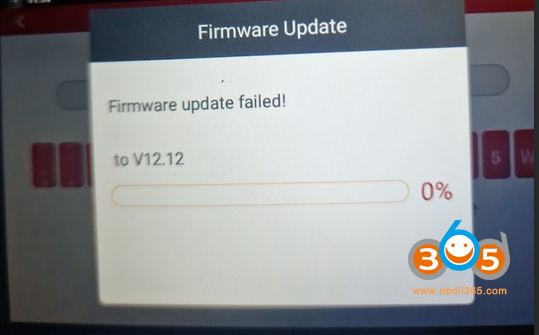
Solution:
The solution goes to other Creader series scanners with firmware V12.12 as well.
Solution for Launch CRP Firmware (V12.12) update failure:
If the firmware fix fails, please first download the firmware from the Update Center and then attempt the firmware fix again.
1. Connect to the network and access the Update Center.
2. Select the firmware file (V12.12) that needs to be re-downloaded, and click “Update” to initiate the download.
- DOWNLOADBIN_CRP_12XIV2_V2 (V12.12)
- Firmware upgrade (V12.12)
- Firmware upgrade Program (V12.12)
- DOWNLOADBIN_CRE_X_V2 (V12.12)
3. On the main interface, click “DATA,” then navigate to “Firmware Fix” and execute the Firmware Fix process.


Comments
Post a Comment