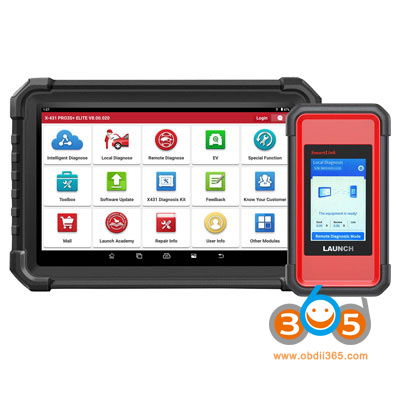
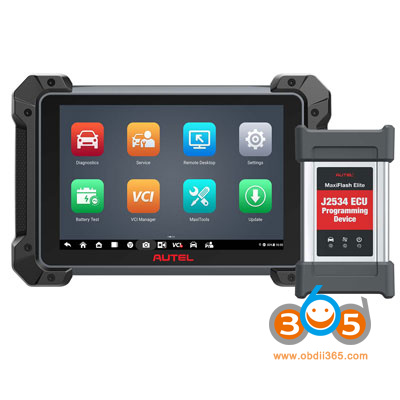
What’s the difference between Launch X431 Pro3S Smartlink and Autel MK908 Pro II? Which is better?
Here comes the comparison.
| Item | Launch X431 Pro3S+ Smartlink/Pro3 V+ Elite SmartLink | Autel MaxiCOM MK908 Pro II |
| System | Android 10 | Android 10 |
| Processor | 4.0 core 2.0GHz processor | 8-core processor |
| RAM | 4G | 4G |
| ROM | 64G | 128G |
| Screen | 10.1 inch | 10.1 inch |
| Resolution | 1280 x 800 | 1920×1200 |
| WiFi | dual 2.4GHz & 5GHz | dual 2.4GHz & 5GHz |
| Battery | 6300mAh/7.6V | 15000mAh |
| Full system diagnostic | Yes | Yes |
| Live Data PIDS | 4 in 1 | 5 in 1 |
| AutoVIN | Yes | Yes, AutoVIN 2.0 |
| Pre & Post scan | Yes | Yes |
| Datastream | 12 in 1 | 12 in 1 |
| Special functions | 39+ | 38 |
| Bi-directional Active Test | Yes | Yes |
| VAG Guided Function | Yes | Yes |
| BMW Test Plan (Guided function) | Yes | – |
| PIN detection | Yes | – |
| ECU Coding | Yes | Yes |
| ECU Programming | – | Yes |
| Super Remote Diagnostics | Yes | Yes |
| J2534, D-PDU, RP1230 Protocols | Yes | KWP, CAN, UDS, OBDII, J2534 |
| CAN FD, DoIP protocol | Yes | No built-in CAN FD |
| Gateway Unlock | FCA, Renault, VAG, EU Benz | FCA, VAG, Nissan |
| Repair Database | HaypesPro/X431 FIX | – |
| Topology Mapping | Yes | – |
| Diagnostic Report | Yes | Yes |
| Mall | Yes | – |
| ADAS calibration | Yes with ADAS equipment | – |
| TPMS | Yes with i-TPMS | – |
| IMMO programmer | Yes with X-prog3 | – |
| IMMO Software | Yes with IMMO software pack | – |
| Videoscope | Yes with VSP600 videoscope | Yes with MV108/MV105 videoscope |
| Multimeter | Yes with EM101N multimeter | – |
| Sensorbox | Yes with S2-2 sensorbox | – |
| Scopebox | Yes with O2-2 scopebox | – |
| EV diagnostic kit | Yes with EV kit | – |
| Heavy duty module | Yes with HD kit | – |
| Battery Tester | Yes with BST360 | Yes with BT506 battery tester |
| Motorcycle diagnostic | Yes with Motorcycle kit | – |
| Cloud management | – | Yes |
| Language | 23+ | 21+ |
| Update | 2 years free update | 1 Year free update, $600 per year later. |
| Add-on Software | Add-n EV, Heavy Duty, IMMO and Motorcycle software | – |
| Price in obdii365 | GL $999, EU/UK $939 | $1,649 |


In sum:
3. Launch Pro3 smartlink supports VAG and BMW guided function, MK908 Pro II only support VAG guided function.
4. Launch smartlink supports CAN FD and DoIP built-in protocols, and will allow users to perform super remote diagnostics functions. MK908Pro II does not.
5. Launch Pro3 supports FCA, Renault, VAG and EU Benz gateway unlock, Autel supports FCA, VAG and Nissan gateway unlock.
6. You are able to purchase repair database for Launch X431, MK908 PRO II doesn’t have repair database.
7. Launch Pro3 smartlink supports Topology Mapping; MK908 II Pro does not.
8. A big difference is that Launch Pro3 smartlink is compatible with a lot of add-on modules, TPMS, multimeter, HD, EV, IMMO, sensorbox, scopebox, etc MK908 Pro II is only compatible with battery tester and videoscope.
9. Another major difference is that MK908 Pro II has built-in BMW and Benz online programming, Launch Pro3 smartlink does not.
10. Launch Pro3 comes with 2 years free update,s while MK908 II Pro has only 1 year free update.
Comments
Post a Comment