Download and Update Launch X431 Pro Elite

Launch X431 Pro Elite bi-directional diagnostic scanner user manual: how to download apk, register device, update software and do a factory reset.


PART I:

Download and install diagnostic software

1. Connect WIFI

Tap setting on the home page

Select Network & internet>> WiFi

Connect an available WiFi with good signal

download launch x431 pro elite 1


2.Download and install diagnostic software

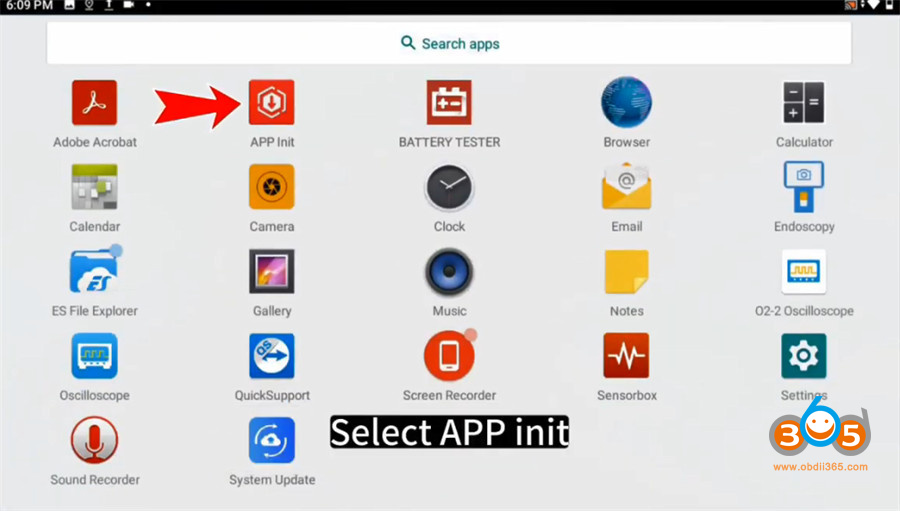
Press the home screen and slide up

download launch x431 pro elite 2

Select APP Init

download launch x431 pro elite 3


Input the 12-digit serial number which can be found on the backside of X431 PRO Elite OBD2 scanner

Then tap “OK”

download launch x431 pro elite 4

download launch x431 pro elite 5


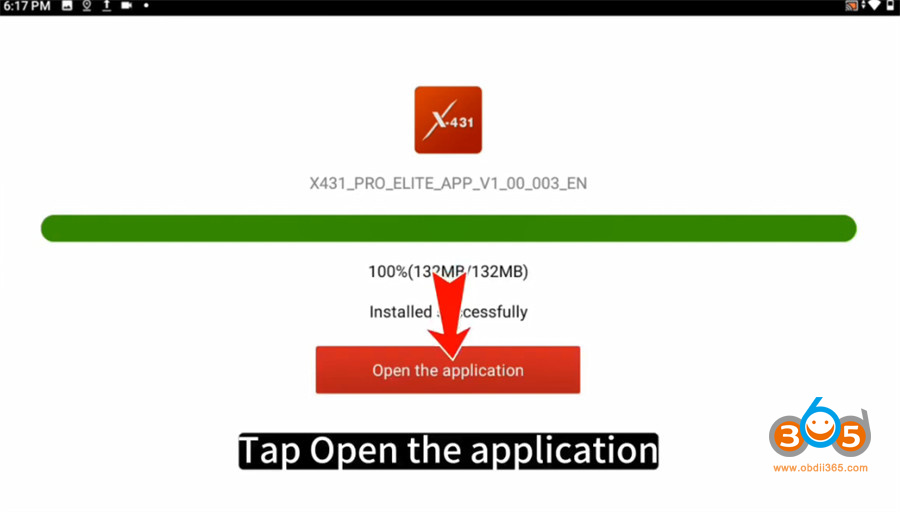
Start to download and install the diagnostic APP

Installed successfully, and tap “Open the application”

download launch x431 pro elite 6


Tap “Confirm” to allow X-431 PRO ELITE to access phone, camera, location, storage, microphone…

download launch x431 pro elite 7

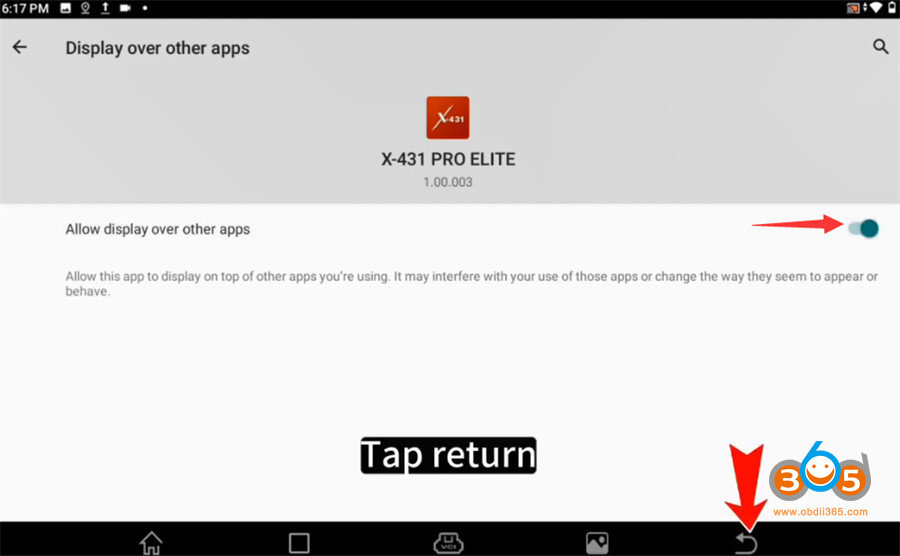
Tap the button to allow display over other apps

And tap the return button at the taskbar to go back to the main menu

download launch x431 pro elite 8


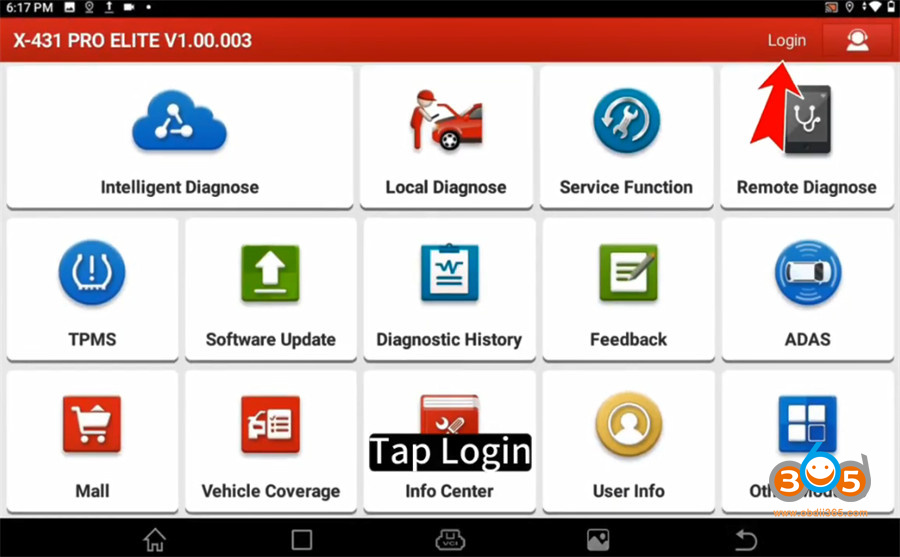
Tap “Login” at the top right side

download launch x431 pro elite 9


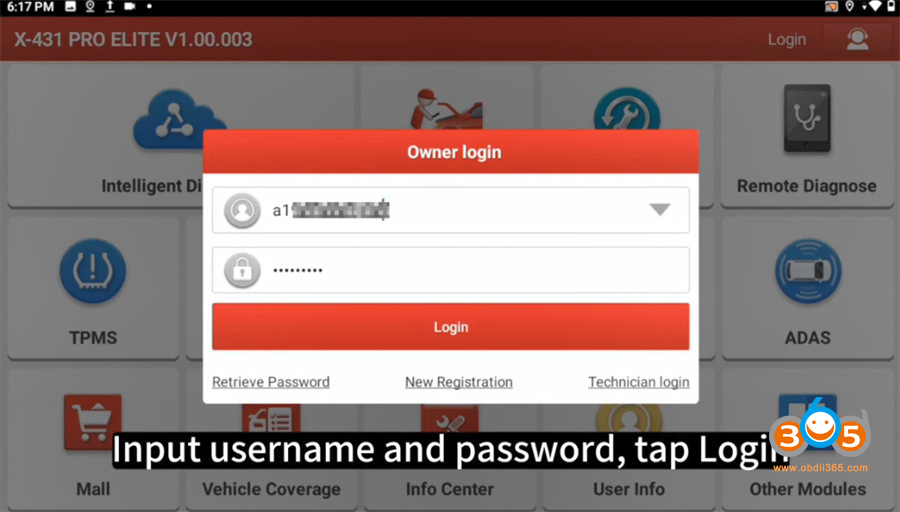
Input username and password, and tap “Login”

download launch x431 pro elite 10


After logging successfully, tap “Software Update” on the main menu

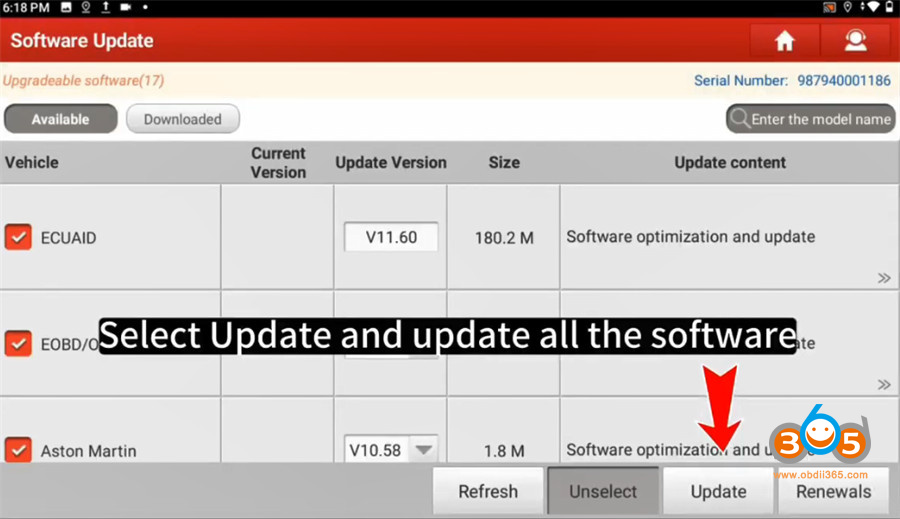
It will show the vehicle diagnostic software list. Tap “Update” to update all software.

update launch x431 pro elite 1

At this point, all steps are completed.


PART II

Reset X-431 Pro Elite Tablet:

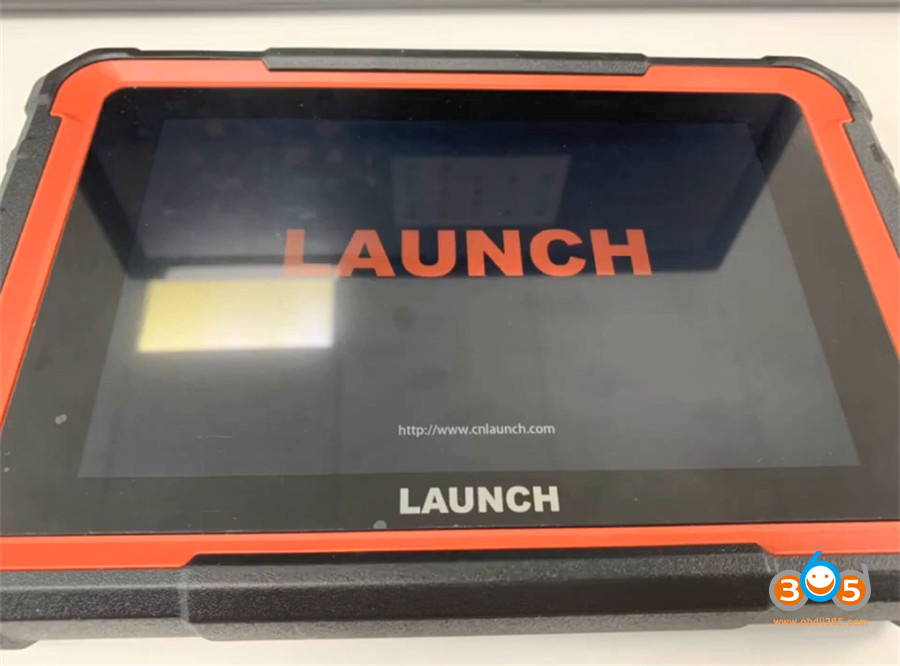
Turn on X431 PRO Elite tablet

Tap Setting on the home page

reset launch x431 pro elite 1

Select System>> Advanced>> Erase all data (factory reset)>> Erase all data

reset launch x431 pro elite 2
reset launch x431 pro elite 3reset launch x431 pro elite 4


Wait for the tablet to restart.
reset launch x431 pro elite 5

https://www.obdii365.com/service/download-update-and-reset-launch-x431-pro-elite.html


Comments

Popular posts from this blog

Install Launch X431 SmartLink C J2534 Driver

Launch X431 SmartLink C can be used as a J2534 PassThru device, working together with the PC installed with the OEM diagnostic software to perform the J2534 reprogramming.   Obdii365   shows where to download and how to install the Passthru SAE J2534 driver for LAUNCH X431 Smart Link C passthru adapter (for   PAD VII ) If you have Smartbox 3.0 (old PAD V and   X431 Pro5 ), download J2534 passthru   in the previous post .     How to Download Launch X431 SmartLink C J2534 passthru driver?   Same as smartbox 3.0, you need both installation programs (setup driver and PC tool for update).   1. Download PC tool for update (update smartlink c firmware) Visit   https://en.cnlaunch.com/ Select Products tab->X-431 PAD VII Pull down product information and find   Download Download   Smartlink J2534.zip Install Launch J2534 PC tool Run LAUNCH J2534 program on desktop. Now you can check Smartlink adapter version and update firmware 2. Do...

Will Lauch X-PROG3 Work with Diagzone, Xdiag or Prodiag?

Does Launch X431 X-prog3 work with xdiag, diagzone or prodiag activations?  Diagzone compatible xprog3? Is it working with prodiag? Will it work with xdiag? These are frequently asked questions of   Launch X-PROG3   (also called GIII) programmers. X-prog3 is compatible with Multiple X-431 Series   X-431 V ,  X-431 V+ ,   X431 Pro5 ,  X431 ProS ,   X431 Pro3s+ ,  X-431 PAD V ,  X-431 PAD VII , X-DIAG Pro3 diagnostic tablets. This programmer works not only for programming keys, but for working with ECU and gearbox. But when comes to key programming you need to know what you doing there is not too much info in the Diagzone/Prodiag software.   What worked and failed? Here are user reviews. *You are at your risk. We don’t provide technical support to 3rd party software.   Prodiag: Yes It works with prodiag. Prodiag provides usb connection with virtual comport. It works fine to read ECU and gearbox clone. For example, VAG DQ200 gearb...

Launch X431 V+ or PIWIS-III for Porsche Diagnosis?

I have the Launch X431 V+ Pros Mini which I purchased new from obdii365 for $1079. I also have a PIWIS III clone V38.90 that i purchased from another website for $1429. I purchased the Launch X431 V+ with the intent of using it to flash a used control module for my car. When I discovered that the Launch X431 V+ could not do that I purchased a PIWIS III clone with the intention of selling the Launch X431 V+ but I have not got around to selling it yet because it is so much easier to use then the PIWIS III.Here is what I have done so far with each one. Launch X431 V+ : Cleared all the fault codes stored in the car. Activated the Aux setting in PCM (PCM/CDR) I had to add an aux cable to the PCM to make use of this one. Changed the number of flashes for one touch turn signal from 3 to 5 (Front-end Electronics) Activated Comfort entry windows up/down via keyfob (Front-end Electronics) Changed the speed when the doors auto lock, 3 mph to 20 mph (Front-end electronics) Changed the speed when...